
1 Overview
Monday.com is iOi’s central work management platform. Almost every team uses it, and many of our core processes run through it. At iOi, boards do more than manage tasks — they record programme activity and measure impact, with data on schools, sessions, and outcomes feeding into dashboards that give leadership and funders a clear picture of what we do.
Work is organised into boards. Each row is an item (a project, task, school, or event) and each column holds a piece of information about it — such as a date, status, or responsible person. Boards sit inside workspaces, which group related work together.
| Item | Status | Owner | Due date |
|---|---|---|---|
| Confirm partner schools | Done | AK | 12 Mar |
| Schedule workshop sessions | Working on it | JL | 26 Mar |
| Prepare session materials | Stuck | MR | 02 Apr |
Illustrative example with sample data. Rows are items; the
headings (Status, Owner, Due date) are columns.
2 Navigation
Accessing Monday.com
Monday.com is available in a browser or via the desktop and mobile apps. Sign in at monday.com using your iOi account credentials.
The interface
The main navigation lives in the left-hand sidebar:
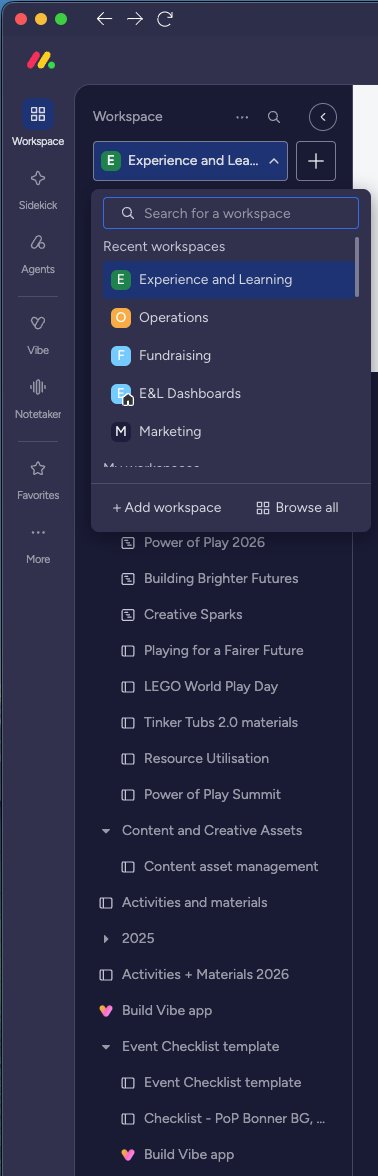
- Switch between workspaces using the dropdown at the top left of the sidebar.
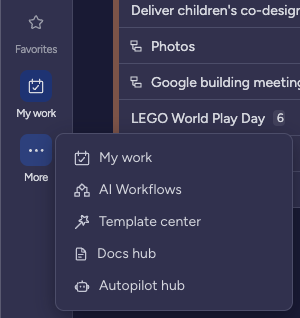
- View all your assigned tasks and upcoming deadlines via My Work.
- See notifications via the bell icon at the top right.
- Check incoming items via the in-tray icon, also at the top right.

Workspaces
Monday.com is divided into workspaces. Switch between them using the workspace selector at the top left of the sidebar. Each workspace contains a mix of boards, dashboards, and forms.
iOi Dashboards
The home of iOi and the most important workspace to know. Organised by year.
Fundraising
Tracks fundraising activity and pipeline.
Governance
Boards related to organisational governance.
HR
Staff onboarding and organisational knowledge.
Impacting Children
The programme delivery workspace. Project plans for iOi’s programmes and the E&L Portfolio.
Impacting the System
Holds iOi’s impact data and evidence.
Marketing
The Digital Asset Management (DAM) board and the Comms Calendar.
Objectives & Key Results
Quarterly OKR tracking.
Operations
Covers internal operational processes.
Forms
A dedicated workspace collecting all forms used across the organisation.
3 Quick Guide
Key boards to know
iOi Dashboards
The best starting point for understanding iOi’s activity and impact at a glance. Organised by year, it pulls together data from across the organisation.
E&L Portfolio
Shows the major dates and phases of iOi’s education programmes on a Gantt chart, giving you a quick sense of the year’s rhythm.
Comms Calendar
An overview of planned communications and key dates. The go-to board if you are coordinating content or campaigns.
Digital Asset Management
Where approved documents, images, and creative assets are stored. Use it to find materials for campaigns and projects.
Submitting requests
For production or operations support, use the Operations or Production Support Form in the Operations workspace. This logs your request and routes it to the right person.