
1 Overview
SharePoint is iOi’s document storage platform. Every team has its own site, which holds that team’s files and folders. It connects directly with Teams — the Files tab in any Teams channel is a view into that team’s SharePoint site.
SharePoint vs OneDrive: SharePoint is for shared team files. OneDrive is
your personal storage — use it for drafts or work in progress not yet ready to share. When
something is ready for the team, save it to the relevant SharePoint site.
2 Navigation
Accessing SharePoint
You can access SharePoint through Teams, but for quicker direct access:
- Go to office.com and sign in with your iOi account.
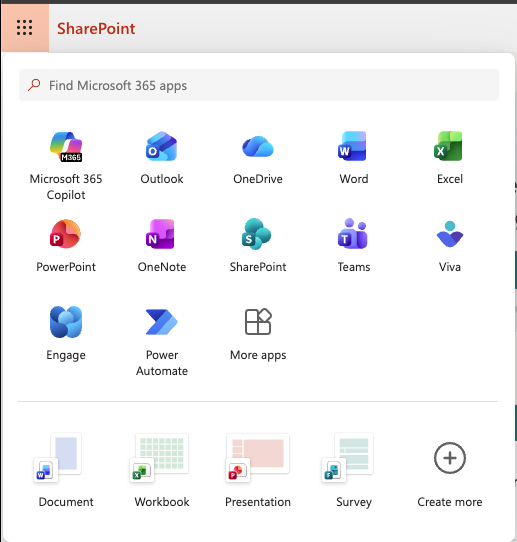
- Click the grid icon (nine dots) in the top-left corner.
- Select SharePoint.
iOi sites
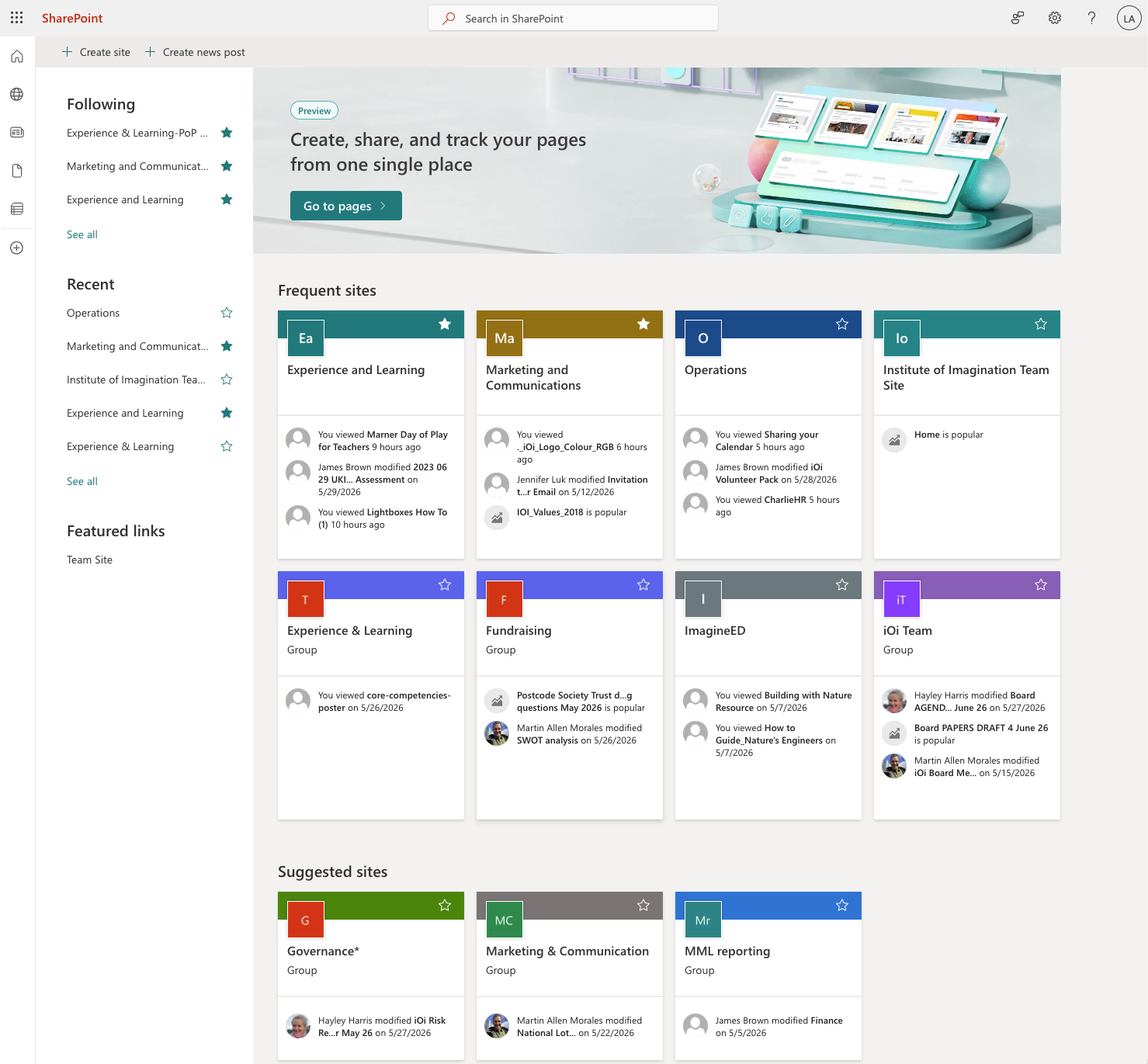
Your home page shows recently visited sites. If a site is not visible, use the direct links below. If you do not have access, ask your line manager.
Tip: some entries show the word ‘Group’ underneath. Use the direct links
below to reach the main SharePoint site for each team — the Group view contains different
content.
| Site | Direct link |
|---|---|
| Experience and Learning | /sites/ExperienceandLearning2 |
| Finance | /sites/Finance22 |
| Fundraising | /sites/Fundraising2 |
| Governance | /sites/Governance2 |
| HR | /sites/HR2 |
| Knowledge | /sites/Knowledge3 |
| Marketing and Communications | /sites/MarketingandCommunications |
| Operations | /sites/Operations |
| Strategy | /sites/Strategy |
Go to Documents within any site to find that team’s files.
3 Quick Guide
Opening files
Click the three dots next to a file and choose Open in app rather than Open in browser.
Always open files in the desktop app. iOi’s Futura typeface does not render
correctly in the browser.
Version history
Click the three dots next to any file and select Version history to view or restore a previous save.